A Clearer View of Completed Sessions with Session QA
A completed visit can still leave your review team with questions. Is the session note complete? What was recorded for the targets addressed? Who is following up on a missing signature?
When session data and review tracking are disconnected, administrative follow-up becomes harder than it needs to be. Having session information and review controls together in one place gives your team a clear, actionable starting point.
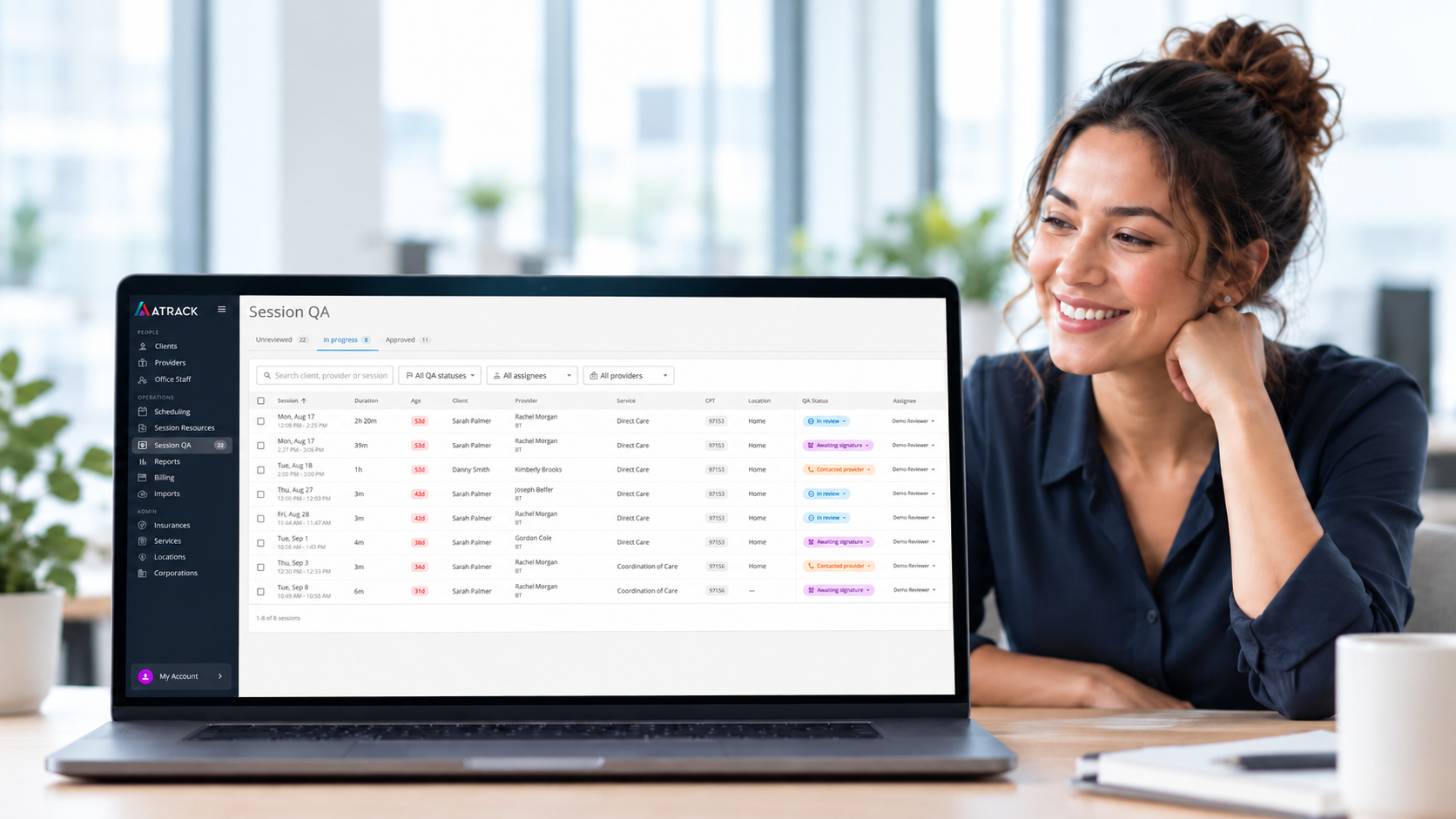
Session QA in the ATrack Management Portal brings completed sessions into a dedicated workspace where office staff can review recorded details and manage what happens next. Designed to support your administrative team, Session QA pairs a clear view of the session with manual status tracking, owner assignments, and internal QA notes.
See the Session in Context
Opening a session in the Session QA workspace displays its date, time, duration, service type, and other visit details directly alongside your review panel. Having clinical information visible in real time provides essential context, including:
-
Active and maintenance targets
-
Recorded clinical data and behavior details
-
Session notes (when recorded)
-
Signature information and authorization status
That context matters when a question arises. A reviewer can examine target data and behavior entries, compare them to the written narrative of the visit, and check signature status against your organization’s documentation standards and payer requirements.
Key Detail: Session contents are read-only within the Session QA workspace. If an entry or note requires correction, the update is completed outside Session QA. This maintains strict data integrity while keeping the workspace focused entirely on review and progress tracking.
Keep Review Work Visible Across Teams
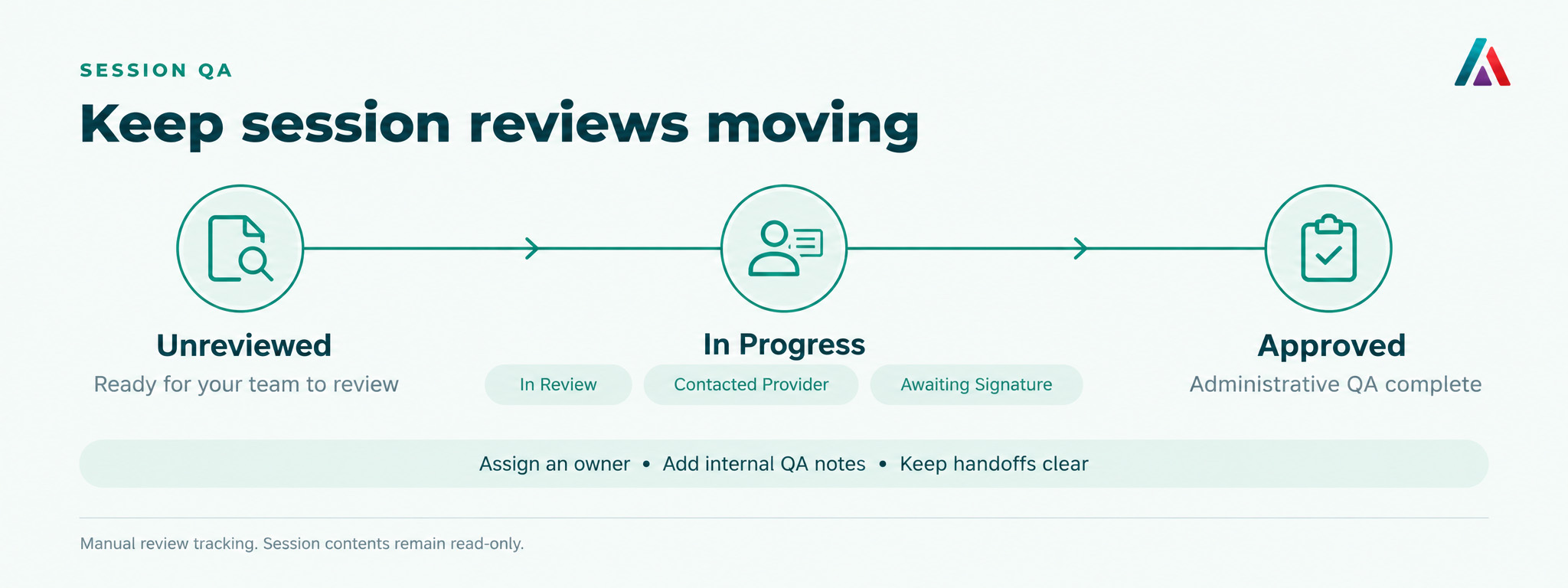
To keep workflows organized, Session QA groups sessions into three main tabs: Unreviewed, In Progress, and Approved.
Within a specific review, your team can assign granular manual statuses to reflect exact progress:
-
In Review
-
Contacted Provider
-
Awaiting Signature
(Note: In Review, Contacted Provider, and Awaiting Signature all consolidate under the In Progress tab on the main page for clean high-level tracking.)
Clear Ownership and Internal Notes
-
Assigned Owners: Assign a specific team member to identify who is responsible for the review or follow-up action.
-
Internal QA Notes: Provide a centralized space to detail specific questions, record items needing attention, and post status updates. Every note displays the author’s name and timestamp so colleagues can quickly review prior context.
-
Manual Controls: Internal QA notes are purely administrative and do not trigger automated messages to providers. Communication continues through your standard practice channels.
Give the Next Reviewer Useful Context
The ultimate benefit of Session QA is a shared, transparent view of both the completed session and the administrative work surrounding it. When handoffs occur, updating the assigned owner and leaving a detailed QA note ensures the next team member immediately understands what has been done and what remains.
Once a session meets all standards, marking it Approved records your team’s QA determination.
Key Technical & Access Notes
-
Billing Independence: Marking a session as Approved reflects administrative QA completion; it does not dictate or prevent whether the session appears in billing exports.
-
Permissions: Accessing this workspace requires an Office Staff account with the dedicated Session QA permission enabled.
Ready to Streamline Your Session Review Process?
Take the guesswork out of administrative follow-up and give your team the context they need to review sessions with confidence.
-
For Current Users: Read the detailed Session QA Guide or watch the video walkthrough in the Help Center.
-
Exploring ATrack for Your Organization? Request a Walkthrough today to see how Session QA can fit seamlessly into your clinical and administrative workflows.